CLI Reference
GNO command-line interface guide.
Full specification: See spec/cli.md for exhaustive command documentation.
Quick Reference
| Command | Description |
|---|---|
gno init |
Initialize config and database |
gno index |
Full index (sync + embed) |
gno update |
Sync files from disk (no embed) |
gno embed |
Generate embeddings only |
gno search |
BM25 full-text search |
gno vsearch |
Vector similarity search |
gno query |
Hybrid search (BM25 + vector) |
gno ask |
Search with AI answer |
gno get |
Retrieve document content |
gno ls |
List indexed documents |
gno daemon |
Headless continuous indexing |
gno links |
List outgoing links from document |
gno backlinks |
List documents linking to target |
gno similar |
Find semantically similar docs |
gno graph |
Export knowledge graph |
gno serve |
Start web UI server |
gno mcp |
Start MCP server for AI clients |
gno models |
Manage models (list, pull, use) |
gno skill |
Install GNO skill for AI agents |
gno tags |
Manage document tags |
gno completion |
Shell tab completion |
gno vec |
Vector index maintenance |
gno doctor |
Check system health |
Global Flags
All commands accept:
--index <name>    Use alternate index (default: "default")
--config <path>   Override config file path
--no-color        Disable colored output
--no-pager        Disable automatic paging of long output
--verbose         Enable verbose logging
--yes             Non-interactive mode
--offline         Use cached models only (no auto-download)
--skill           Output SKILL.md for agent discovery and exit
Pager: Long output is automatically piped through a pager when in terminal mode. Uses $PAGER if set, otherwise less -R (Unix) or more (Windows). Disable with --no-pager.
Offline mode: Use --offline or set HF_HUB_OFFLINE=1 to prevent auto-downloading models. Set GNO_NO_AUTO_DOWNLOAD=1 to disable auto-download while still allowing explicit gno models pull.
Force CPU-only for testing: Set NODE_LLAMA_CPP_GPU=false on the gno
process to disable Metal/CUDA/Vulkan and force the CPU backend:
NODE_LLAMA_CPP_GPU=false gno doctor --json
NODE_LLAMA_CPP_GPU=false gno embed --yes
Accepted values from node-llama-cpp: false, off, none, disable,
disabled.
Note: the first CPU-only run may build or download a separate CPU backend if you only have GPU-backed binaries cached. Use the second run for timing.
Output format flags (--json, --files, --csv, --md, --xml) are per-command.
See spec/cli.md for which commands support which formats.
Search Commands
gno search
Full-text search using document-level BM25 with Snowball stemmer.
gno search "project deadlines"
gno search "error handling" -n 5
gno search "auth" --json
gno search "meeting" --files
Document-level indexing: Finds documents where terms appear anywhere, even across sections. “authentication JWT” matches docs with those terms in different parts.
Snowball stemming: “running” matches “run”, “scored” matches “score”, plurals match singulars.
Recency intent sorting: Queries containing latest, newest, or recent are ordered newest-first using frontmatter date when present, falling back to file modified time.
Options:
-n, --limit <n>- Limit results (default: 5; 20 with –json/–files)--min-score <n>- Minimum score threshold (0-1)--full- Show full document content (not just snippet)--line-numbers- Show line numbers in snippets--lang <code>- Filter by detected language in code blocks--since <date>- Modified-at lower bound (ISO date/time or token liketoday,last week,recent)--until <date>- Modified-at upper bound (ISO date/time or token)--category <values>- Require matching category/content type (comma-separated)--author <text>- Author contains text (case-insensitive)--intent <text>- Disambiguating context for ambiguous queries; steers snippet selection without searching on this text--exclude <values>- Exclude docs containing any comma-separated term in title/path/body--tags-all <tags>- Filter: docs must have ALL tags (comma-separated)--tags-any <tags>- Filter: docs must have ANY tag (comma-separated)
gno vsearch
Semantic similarity search using vector embeddings with contextual chunking.
gno vsearch "how to handle errors gracefully"
gno vsearch "authentication best practices" --json
Contextual embeddings: Each chunk is embedded with its document title prepended, helping the model distinguish context (e.g., “configuration” in React vs database docs).
Same options as gno search, including temporal/category/author and tag filters. Requires embed model.
If --intent is provided, vector search uses it only to steer snippet selection toward the intended interpretation. It is not embedded or searched directly.
gno query
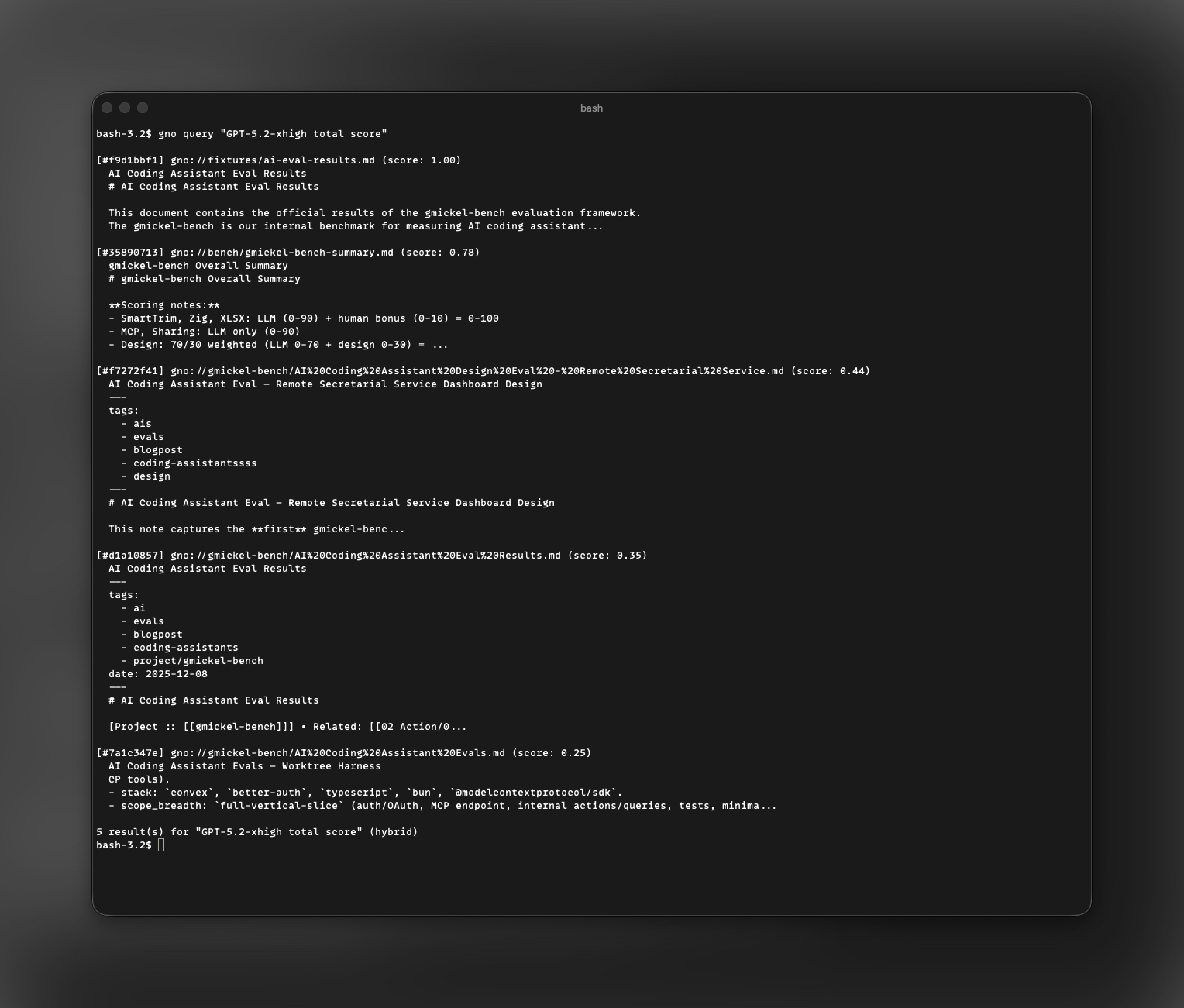
Hybrid search combining BM25 and vector results. This is the recommended search command for most use cases.
gno query "database optimization"
gno query "API design patterns" --explain
gno query "auth" --fast              # Fastest: ~0.7s
gno query "auth" --thorough          # Full pipeline: ~5-8s
gno query "auth" --tags-all work,backend   # Filter by tags
gno query "performance" --intent "web performance and latency"
gno query "auth flow" --query-mode term:"jwt refresh token" --query-mode intent:"how refresh token rotation works"
gno query $'auth flow\nterm: "refresh token"\nintent: token rotation'
Search modes:
- Default (~2-3s on slim): Preset-aware balanced mode. On
slim/slim-tuned, uses expansion + reranking; on larger presets, keeps reranking on and expansion off by default. --fast(~0.7s): Skip both expansion and reranking. Use for quick lookups.--thorough(~5-8s): Expansion + reranking with a wider candidate pool. Best recall.
Pipeline features:
- Strong signal detection: Skips expensive LLM expansion when BM25 has confident match
- 2× weight for original query: Prevents dilution by LLM-generated variants
- Tiered top-rank bonus: +0.05 for #1, +0.02 for #2-3
- Chunk-level reranking: Best chunk per doc (4K max) for 25× faster reranking
- Lexical top-hit protection: Preserves original BM25 #1 exact hits against rerank-only demotion
Additional options:
--fast- Skip expansion and reranking (fastest, ~0.7s)--thorough- Use the widest retrieval/rerank budget (slower, best recall)--no-expand- Disable query expansion--no-rerank- Disable cross-encoder reranking--intent <text>- Disambiguating context for ambiguous queries. Steers expansion, rerank chunk/snippet choice, and disables strong-signal bypass, but is not searched directly.--exclude <values>- Hard-prune docs containing any comma-separated term in title/path/body-C, --candidate-limit <n>- Max candidates passed to reranking (default: 20)--query-mode <mode:text>- Structured expansion hints; repeat for multiple entries. Modes:term,intent,hyde--explain- Show detailed scoring breakdown (to stderr)--since <date>- Modified-at lower bound (ISO date/time or token)--until <date>- Modified-at upper bound (ISO date/time or token)--category <values>- Require matching category/content type--author <text>- Author contains text (case-insensitive)--tags-all <tags>- Filter: docs must have ALL tags--tags-any <tags>- Filter: docs must have ANY tag
Migration notes (retrieval v2):
- Existing calls keep working (
gno query "...",--fast,--thorough,--no-expand,--no-rerank). --intentis orthogonal to--query-mode: intent steers scoring/prompting, while query modes inject caller-provided retrieval expansions.--query-modeis opt-in for explicit intent control and replaces generated expansion for that query.- Use
termfor exact lexical constraints,intentfor semantic reformulations, andhydefor one hypothetical answer passage. - Multi-line structured query documents are also supported. See Structured Query Syntax.
# Existing call (still valid)
gno query "auth flow" --thorough

# Retrieval v2 structured call
gno query "auth flow" \
  --query-mode term:"jwt refresh token -oauth1" \
  --query-mode intent:"how refresh token rotation works" \
  --query-mode hyde:"Refresh tokens rotate on each use and previous tokens are revoked."

# Multi-line structured query document
gno query $'auth flow\nterm: "refresh token" -oauth1\nintent: how refresh token rotation works\nhyde: Refresh tokens rotate on each use and previous tokens are revoked.'
The --explain flag outputs:
- BM25 scores per result
- Vector similarity scores
- RRF fusion scores (with variant weights)
skipped_strongindicator if expansion was skipped- Rerank scores (if enabled)
- Final blended scores
- Per-stage timing breakdown (
lang,expansion,bm25,vector,fusion,rerank,assembly,total) - Fallback/counter summary (
fallbacks=..., cache counters for expansion/rerank)
See How Search Works for details on the scoring pipeline.
gno ask
Search and optionally generate an AI answer. Combines retrieval with optional LLM-generated response.
gno ask "what is the project goal"
gno ask "summarize the auth discussion" --answer
gno ask "explain the auth flow" --answer --show-sources
gno ask "quick lookup" --fast            # Fastest retrieval
gno ask "complex topic" --thorough       # Best recall
gno ask "performance" --intent "web latency and vitals"
gno ask "performance" --query-mode term:"web performance budgets" --query-mode intent:"latency and vitals" --no-answer
gno ask $'term: web performance budgets\nintent: latency and vitals' --no-answer
Full-document context: When --answer is used, GNO passes complete document content to the generation model, not truncated snippets. This ensures the LLM sees tables, code examples, and full context needed for accurate answers.
Adaptive source selection: gno ask --answer picks context sources using relevance + query coverage + facet coverage (instead of fixed top-N). Comparison queries (vs, compare, difference) force at least two competing sources when available.
Preset requirement: For documents with markdown tables or structured data, use the quality preset (gno models use quality). Smaller models cannot reliably parse tabular content. This only applies to standalone --answer usage. When AI agents (Claude Code, Codex) call GNO via MCP/skill/CLI, they handle answer generation.
Options:
--fast- Skip expansion and reranking (fastest)--thorough- Enable query expansion (slower, better recall)--intent <text>- Disambiguating context for ambiguous questions without searching on that text--exclude <values>- Hard-prune docs containing any comma-separated term in title/path/body--query-mode <mode:text>- Structured expansion hints; repeat for multiple entries. Modes:term,intent,hyde- Multi-line structured query documents are also supported. See Structured Query Syntax.
-C, --candidate-limit <n>- Max candidates passed to reranking (default: 20)--answer- Generate grounded AI answer (requires gen model)--no-answer- Force retrieval-only output--max-answer-tokens <n>- Limit answer length--show-sources- Show all retrieved sources, not just cited ones-n, --limit <n>- Max source results--since <date>- Modified-at lower bound (ISO date/time or token)--until <date>- Modified-at upper bound (ISO date/time or token)--category <values>- Require matching category/content type--author <text>- Author contains text (case-insensitive)
JSON output includes meta.answerContext with selected/dropped source explain details.
JSON output also includes meta.queryModes when structured query modes are supplied.
-c, --collection <name>- Filter by collection--lang <code>- Language hint (BCP-47)--tags-all <tags>- Filter: docs must have ALL tags--tags-any <tags>- Filter: docs must have ANY tag
Document Commands
gno get
Retrieve document content by reference. Supports multiple reference formats:
#abc123- Document ID (hash prefix)gno://collection/path/to/file- Virtual URIcollection/path- Collection + relative path
gno get abc123def456
gno get "gno://notes/projects/readme.md"
gno get notes/projects/readme.md --json
gno get abc123 --from 50 -l 100  # Lines 50-150
Options:
--from <line>- Start output at line number (1-indexed)-l, --limit <lines>- Limit to N lines--line-numbers- Prefix lines with numbers--source- Include source metadata
gno multi-get
Retrieve multiple documents at once.
gno multi-get abc123 def456 ghi789
gno multi-get abc123 def456 --max-bytes 10000
Options:
--max-bytes <n>- Limit bytes per document (truncates long docs)
gno ls
List indexed documents. Optional scope argument filters results.
gno ls                    # All documents
gno ls notes              # Documents in 'notes' collection
gno ls gno://notes/proj   # Documents under path prefix
gno ls --json
gno ls --files
Options:
[scope]- Filter by collection name or URI prefix
Collection Commands
gno collection add
Add a collection to index.
gno collection add ~/notes --name notes
gno collection add ~/code --name code --pattern "**/*.ts" --exclude node_modules
Options:
-n, --name <name>- Collection identifier (required)--pattern <glob>- File matching pattern--include <exts>- Extension allowlist (CSV)--exclude <patterns>- Exclude patterns (CSV)--update <cmd>- Shell command to run before indexing
gno collection list
List configured collections.
gno collection list
gno collection list --json
gno collection remove
Remove a collection.
gno collection remove notes
gno collection rename
Rename a collection.
gno collection rename notes work-notes
Indexing Commands
gno update
Sync files from disk into the index (BM25/FTS only, no embeddings). Incremental - only processes files changed since last sync.
gno update
gno update --git-pull       # Pull git repos first
Options:
--git-pull- Rungit pullin git repositories
Use gno update when you only need keyword search, or when you want to quickly sync changes and run gno embed separately.
gno index
Full index end-to-end: runs gno update then gno embed. This is the recommended command for most users.
gno index                   # Index all collections
gno index notes             # Index specific collection
gno index --no-embed        # Skip embedding (same as gno update)
gno index --git-pull        # Pull git repos first
Options:
--collection <name>- Scope to single collection--no-embed- Skip embedding phase--models-pull- Download models if missing--git-pull- Rungit pullin git repositories
Incremental: Both gno index and gno update are incremental. Files are tracked by SHA-256 hash. Only new or modified files are processed. Unchanged files are skipped instantly.
gno embed
Generate embeddings for indexed chunks.
On CPU-only machines, GNO uses a small adaptive pool of embedding contexts to keep more cores busy. If RAM is tight, it automatically falls back to fewer contexts.
gno embed
gno embed notes
Context Commands
Contexts add semantic hints to improve search relevance.
gno context add
gno context add "/" "Global search context"
gno context add "notes:" "Personal notes and journal entries"
gno context add "gno://notes/projects" "Active project documentation"
gno context list
gno context list
gno context check
Validate context configuration.
gno context check
gno context rm
gno context rm "/"
Model Commands
gno models list
List available and cached models.
gno models list
gno models list --json
gno models use
Switch model preset. Changes take effect on next search.
gno models use slim       # Default, fast, ~1GB disk
gno models use balanced   # Larger model, ~2GB disk
gno models use quality    # Best answers, ~2.5GB disk
gno models pull
Download models.
gno models pull --all
gno models pull --embed
gno models pull --rerank
gno models pull --expand
gno models pull --gen
gno models pull --force   # Re-download even if cached
Using A Fine-Tuned GGUF
If you have exported a fine-tuned GGUF, point a custom preset at it:
models:
  activePreset: slim-tuned
  presets:
    - id: slim-tuned
      name: GNO Slim Tuned
      embed: hf:gpustack/bge-m3-GGUF/bge-m3-Q4_K_M.gguf
      rerank: hf:ggml-org/Qwen3-Reranker-0.6B-Q8_0-GGUF/qwen3-reranker-0.6b-q8_0.gguf
      expand: hf:guiltylemon/gno-expansion-slim-retrieval-v1/gno-expansion-auto-entity-lock-default-mix-lr95-f16.gguf
      gen: hf:unsloth/Qwen3-1.7B-GGUF/Qwen3-1.7B-Q4_K_M.gguf
Then use it normally:
gno models use slim-tuned
gno query "ECONNREFUSED 127.0.0.1:5432" --thorough
Recommended workflow:
- benchmark the exported model first
- keep the tuned model in a custom preset
- only replace defaults after repeated measured wins
See Fine-Tuned Models for the full promotion and troubleshooting workflow.
gno models clear
Remove cached models.
gno models clear
gno models path
Show model cache directory.
gno models path
Skill Commands
Install GNO as a skill for AI coding assistants (Claude Code, Codex).
gno skill install
Install the GNO skill files.
gno skill install                    # Project scope, Claude target
gno skill install --scope user       # User-wide installation
gno skill install --target codex     # For Codex instead of Claude
gno skill install --target all       # Both Claude and Codex
gno skill install --force            # Overwrite existing
Options:
--scope <project|user>- Installation scope (default: project)--target <claude|codex|opencode|openclaw|all>- Target agent (default: claude)--force- Overwrite existing installation
Supported targets: Claude Code, Codex, OpenCode, OpenClaw. Use all to install to every target.
gno skill uninstall
Remove installed skill.
gno skill uninstall
gno skill uninstall --scope user
gno skill uninstall --target all
Options:
-s, --scope <project|user>- Scope to uninstall from (default: project)-t, --target <claude|codex|opencode|openclaw|all>- Target to uninstall from (default: claude)
gno skill show
Preview skill files without installing.
gno skill show
gno skill show --file SKILL.md
gno skill show --all
Options:
--file <name>- Show specific file only--all- Show all skill files
gno skill paths
Show installation paths for all scope/target combinations.
gno skill paths
gno skill paths --json
See Using GNO with AI Agents for setup guide.
Tag Commands
Manage document tags. Tags are extracted from markdown frontmatter during sync.
Tag format: lowercase alphanumeric, hyphens, dots, slashes for hierarchy (e.g., project/web, status.active).
gno tags
List all tags with document counts.
gno tags                    # All tags
gno tags --collection notes # Tags in collection
gno tags --json
gno tags add
Add tag(s) to a document.
gno tags add abc123 work
gno tags add abc123 project/alpha urgent
gno tags rm
Remove tag(s) from a document.
gno tags rm abc123 obsolete
gno tags rm abc123 draft wip
Tag changes update the document’s YAML frontmatter on disk.
Link Commands
Navigate document relationships via wiki links and markdown links.
gno links
List outgoing links from a document.
gno links gno://notes/source.md        # List all links
gno links #abc123 --type wiki          # Wiki links only
gno links source.md --json
Options:
--type <wiki|markdown>- Filter by link type--json,--md- Output format
Shows link type, target, display text, line/column, and whether the target resolves to an indexed document.
gno backlinks
List documents that link TO a target document.
gno backlinks gno://notes/target.md
gno backlinks #abc123 --collection notes
gno backlinks target.md --json
Options:
-c, --collection <name>- Filter by source collection--json,--md- Output format
gno similar
Find semantically similar documents using vector embeddings.
gno similar gno://notes/note.md
gno similar #abc123 --limit 10 --threshold 0.5
gno similar doc.md --cross-collection --json
Options:
-n, --limit <num>- Max results (default: 5)--threshold <num>- Minimum similarity (default: 0.7)--cross-collection- Search across all collections--json,--md- Output format
Requirements: Embeddings must be generated with gno embed or gno index.
Similarity basis: Uses the doc’s seq=0 embedding (falls back to first chunk).
gno graph
Export knowledge graph of document links (wiki links, markdown links, similarity edges).
gno graph                           # JSON output (default)
gno graph --dot                     # Graphviz DOT format
gno graph --mermaid                 # Mermaid diagram format
gno graph -c notes                  # Single collection
gno graph --include-similar         # Add similarity edges
Options:
-c, --collection <name>- Filter to single collection--limit <n>- Max nodes (default: 2000)--edge-limit <n>- Max edges (default: 10000)--include-similar- Include similarity edges--threshold <num>- Similarity threshold (default: 0.7)--include-isolated- Include nodes with no links--similar-top-k <n>- Similar docs per node (default: 5)--json- JSON output (default)--dot- Graphviz DOT format--mermaid- Mermaid diagram format
Pipeline to Graphviz:
gno graph --dot | dot -Tsvg > graph.svg
Pipeline to Mermaid Live:
gno graph --mermaid | pbcopy
# Paste into https://mermaid.live
Similarity edges use seq=0 embeddings only.
Admin Commands
gno status
Show index status.
gno status
gno status --json
gno doctor
Check system health.
gno doctor
gno doctor --json
gno cleanup
Remove orphaned content.
gno cleanup
gno reset
Reset to fresh state.
gno reset --confirm
gno vec
Vector index maintenance. Use when vector search returns empty despite embeddings existing.
gno vec sync      # Sync vec0 index with content_vectors
gno vec rebuild   # Full rebuild of vec0 index
sync- Fast incremental sync, fixes drift after failed insertsrebuild- Full rebuild, use when sync isn’t enough--json- JSON output format
When to use: If gno similar returns empty results but embeddings exist, run gno vec sync.
Output Formats
| Format | Flag | Use Case |
|---|---|---|
| Terminal | (default) | Human reading |
| JSON | --json |
Scripting, parsing |
| Files | --files |
Pipe to other tools |
| CSV | --csv |
Spreadsheet import |
| Markdown | --md |
Documentation |
| XML | --xml |
XML tooling |
Example:
# Get file URIs for piping
gno search "important" --files | xargs gno get

# Parse JSON in scripts
gno search "test" --json | jq '.results[].uri'
Exit Codes
| Code | Meaning |
|---|---|
| 0 | Success |
| 1 | Validation error (bad input) |
| 2 | Runtime error (IO, DB, model) |
Long-Running Processes
gno daemon
Start a headless long-running watcher process for continuous indexing.
gno daemon
gno daemon --no-sync-on-start
Options:
--no-sync-on-start- Skip the initial sync pass and only watch future file changes
Behavior:
- Opens the selected index DB and loads config
- Starts the same watcher + embed scheduler used by
gno serve - Runs an initial sync by default, then embeds backlog immediately
- Stays in the foreground until
SIGINT/SIGTERM - Does not start the web server or open any port
Use it when:
- you want continuous indexing without a browser or desktop shell
- you are supervising GNO with
nohup, launchd, or systemd - you want CLI / MCP queries to hit a fresh local index
Notes:
- Avoid running
gno daemonandgno serveagainst the same index at the same time until explicit cross-process coordination exists. - For normie/local UI usage, prefer the desktop app or
gno serve.
Examples:
# Run in foreground
gno daemon

# Service-friendly shell backgrounding
nohup gno daemon > /tmp/gno-daemon.log 2>&1 &

# Watch only future changes
gno daemon --no-sync-on-start
gno serve
Start a local web server for visual search and document browsing.
gno serve
gno serve --port 8080
Options:
-p, --port <num>- Port to listen on (default: 3000)
Features:
- Dashboard (
/) - Index stats, collection overview, health status - First run (
/) - Guided folder setup, preset chooser, and health center - Search (
/search) - Full-text BM25 search with highlighted snippets - Browse (
/browse) - Collection and document list with filtering - Document View (
/doc) - Rendered document content with syntax highlighting
API Endpoints:
GET /api/health- Health checkGET /api/status- Index status plus onboarding and health-center stateGET /api/collections- List collectionsGET /api/docs- List documents (paginated:?limit=20&offset=0&collection=name)GET /api/doc- Get document content (?uri=gno://collection/path)POST /api/search- Search ({"query": "...", "limit": 10})
Security:
- Binds to
127.0.0.1only (no LAN exposure) - Content Security Policy headers
- CSRF protection for mutations
- DNS rebinding protection
Example:
# Start server
gno serve --port 3001

# Open in browser
open http://localhost:3001
Want live indexing without the browser? Use
gno daemon.
Shell Completion
Enable tab completion for gno commands.
Install Automatically
gno completion install
Auto-detects your shell and installs to the appropriate config file.
Manual Installation
# Bash (add to ~/.bashrc)
gno completion bash >> ~/.bashrc

# Zsh (add to ~/.zshrc)
gno completion zsh >> ~/.zshrc

# Fish
gno completion fish > ~/.config/fish/completions/gno.fish
Restart your shell or source the config file to activate.
Completion Features
- Commands and subcommands
- All flags and options
- Collection names (dynamic, when DB available)
MCP Server
Start MCP server for AI assistant integration.
gno mcp
See MCP Integration for setup details.